
We have rebuilt how you create a competition. A four-step wizard now takes you from the tournament name to the published page, and the part that used to take longest, the categories, takes a few taps. We timed it on a phone: a padel tournament with six categories, from “New competition” to published, in 32 seconds.
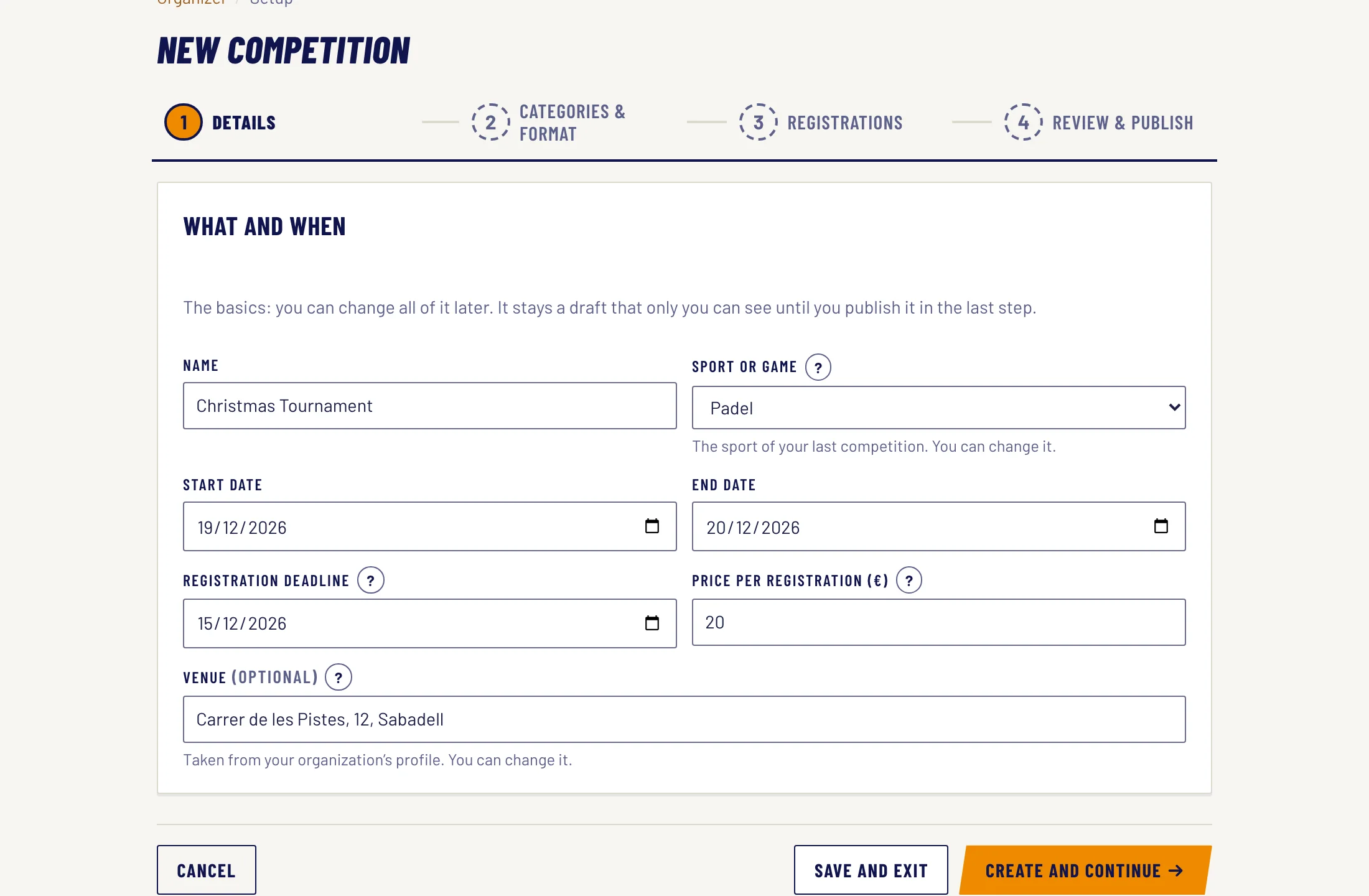
1. The details
- In your organizer dashboard, click “New competition”.
- Type the name and check the sport: it shows the one from your last competition. Add the dates, the registration deadline and the price. The venue comes from your organization’s profile.
- Click “Create and continue”. The competition stays as a draft, which only you can see, until you publish it in the last step.
2. Categories and format
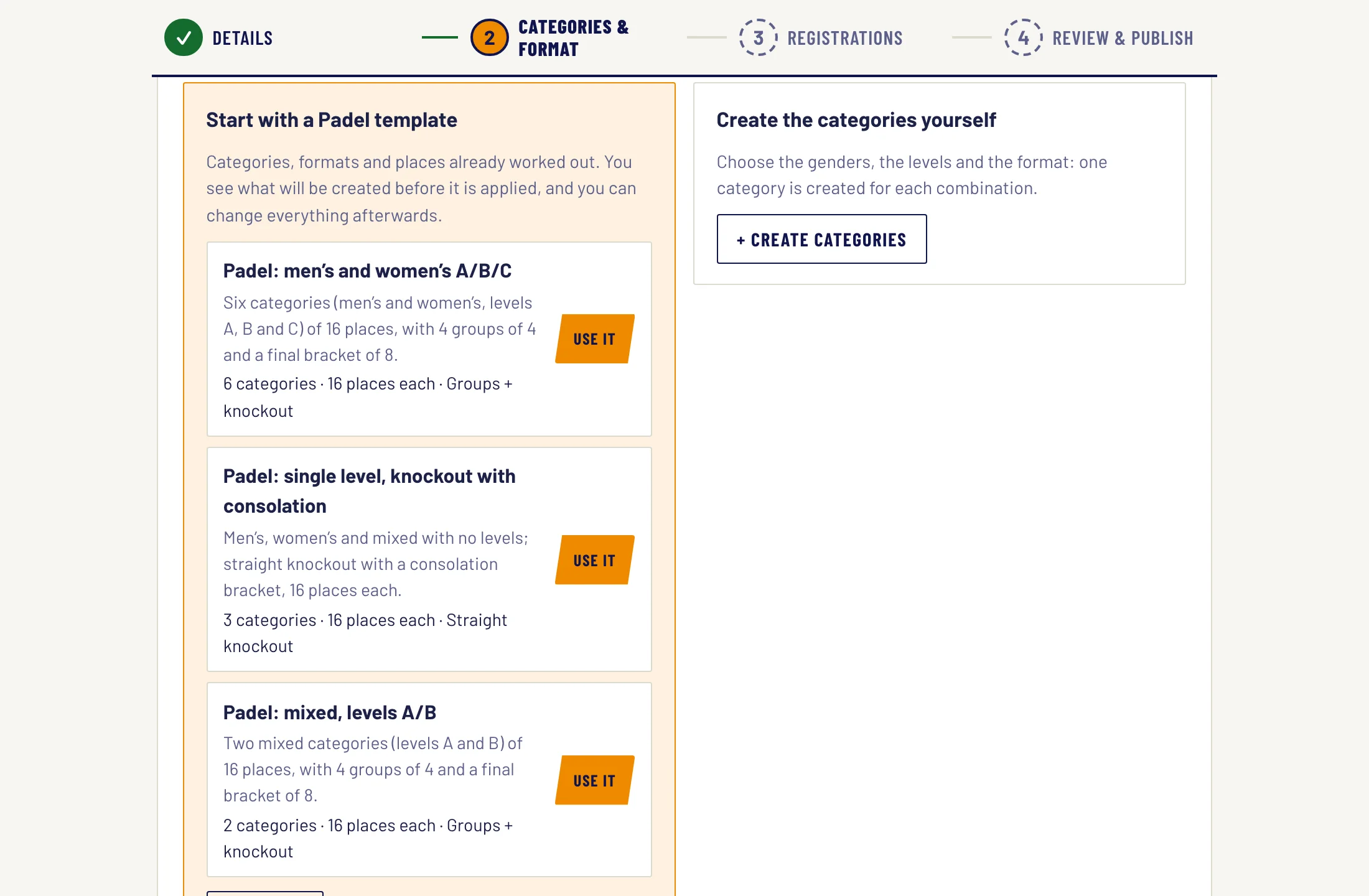
The wizard asks how your competition is organised. You have three ways in:
- A template for your sport. For example, “Padel: men’s and women’s A/B/C”: six categories of 16 places, with 4 groups of 4 and a final bracket of 8. You see what will be created before you apply it.
- Copy one of your competitions, if you have run others.
- Create the categories yourself, with the category wizard.
In the category wizard you choose who plays and how it is played:
- Who plays: the genders (men, women, mixed), the levels (A, B, C or your own) and the places per category. A category is created for each combination: men and women with levels A, B and C make six categories.
- How it is played: league, groups and final bracket, straight knockout or custom (Swiss system, double elimination…). Each format comes with an example using your numbers, and the wizard recommends the usual one for your sport.
- Advanced settings, if you need them: number of groups, how many go through, match length and whether players can submit results.
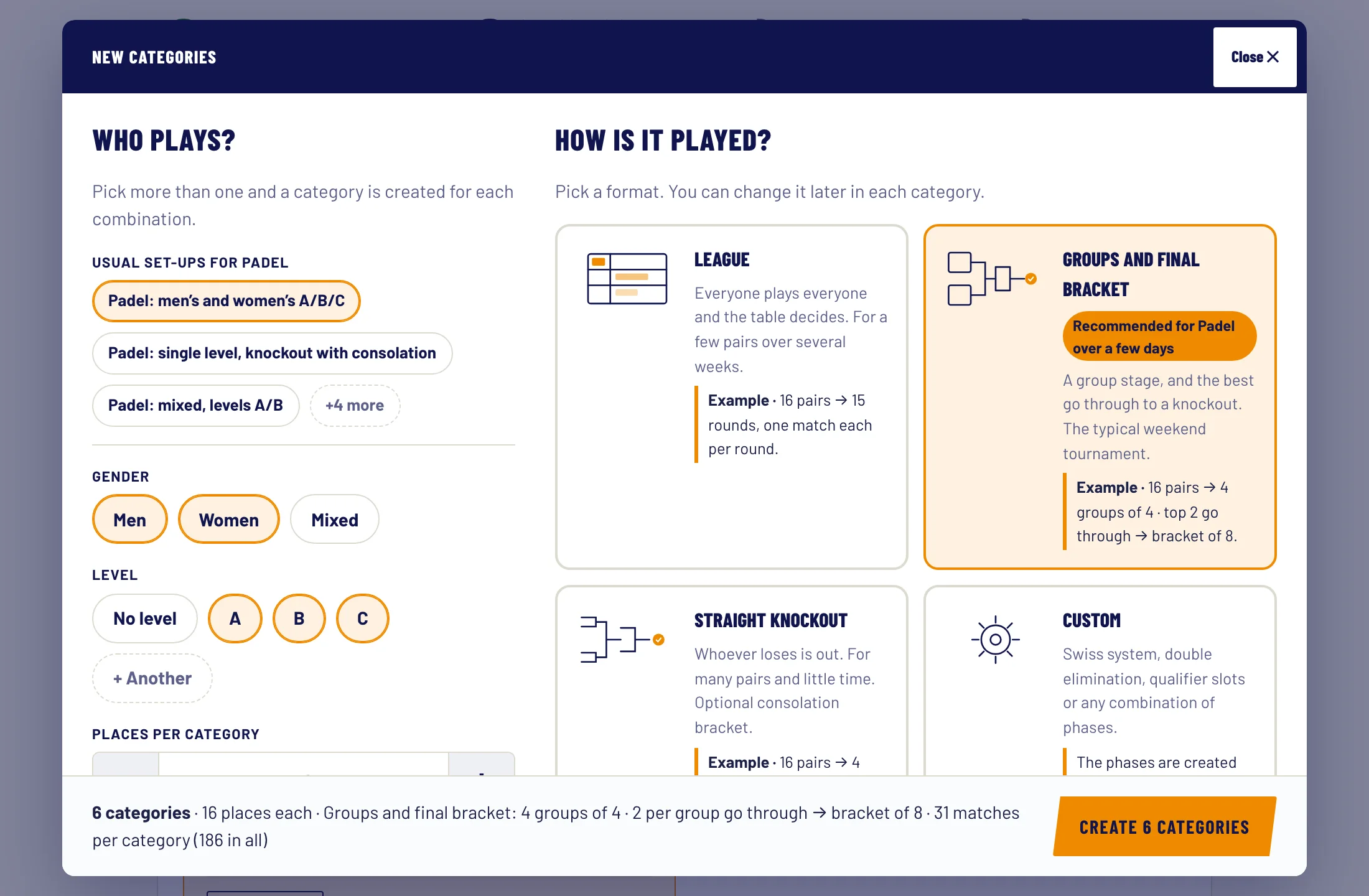
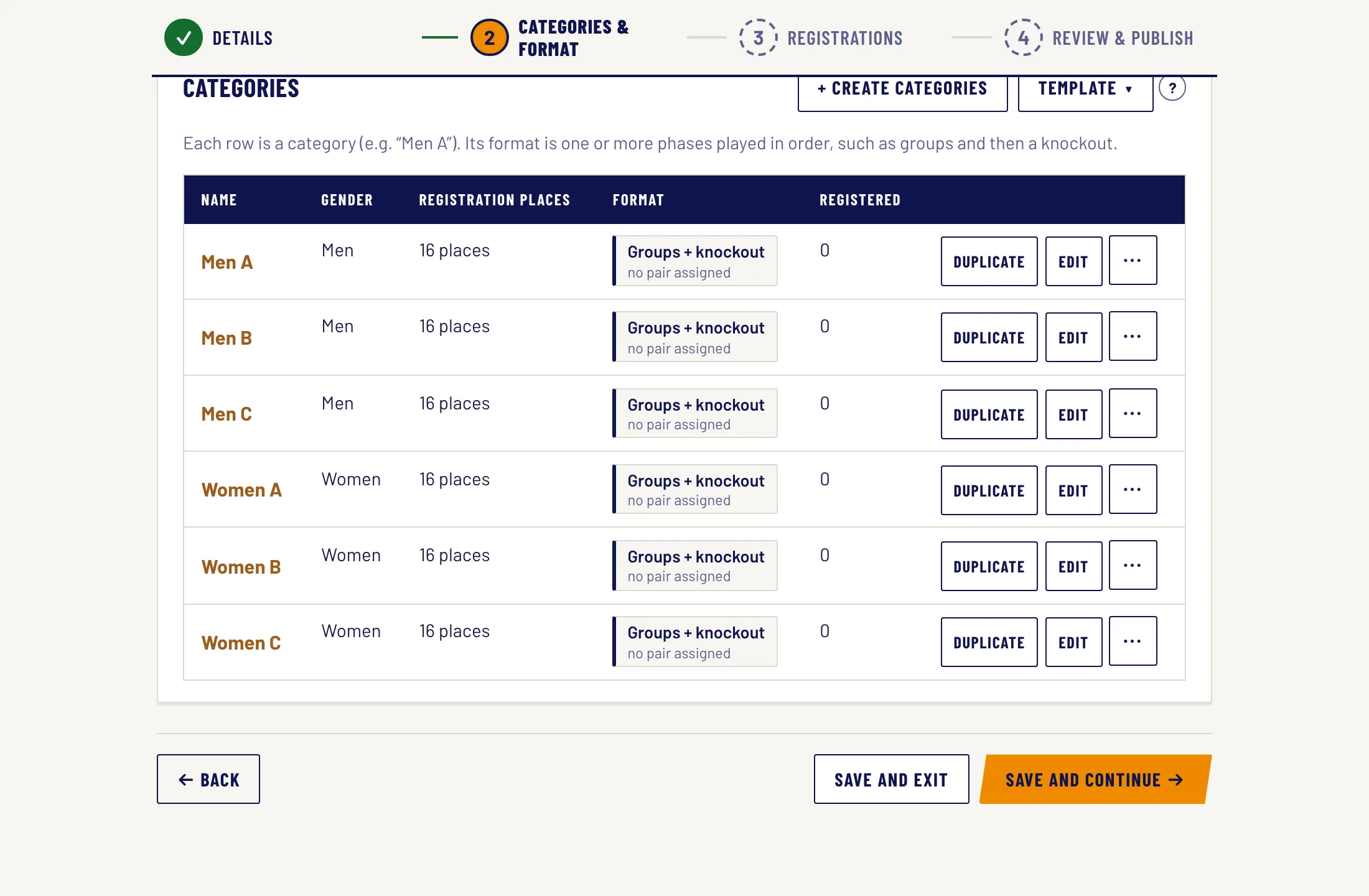
- Click “Create 6 categories”. They are all created, each with its format, and you can change any of them later.
3. Registrations
- You get the registration link to share by WhatsApp, email or social media. It opens when you publish the competition.
- Choose how people pay: online by card (if your payments account is connected), by bank transfer or in person.
- Decide what the form asks for (phone, ID, club, licence) and add any questions you need.
4. Review and publish
- Check the summary and, if you like, add a description and a poster.
- Choose who can see it: “By link” (only people with the link) or “Public” (it shows in search and on your organizer page).
- Click “Publish”. Done: registrations are open.
Everything you chose can be changed later. Once people have registered, you generate the matches and the scheduling algorithm spreads them across your courts. For the whole journey, read the guide to organizing a padel tournament.